
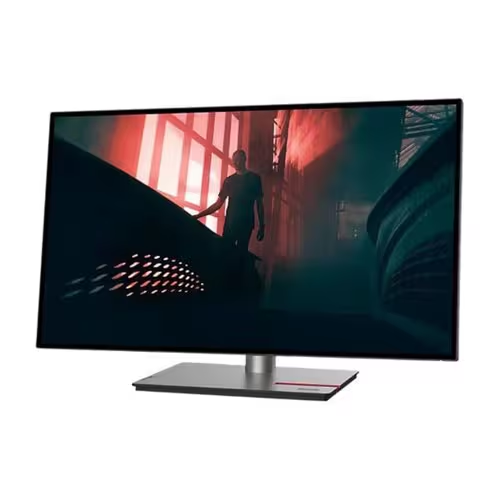
Lenovo’s ThinkVision line is a popular choice for businesses and professionals seeking reliable, high-quality monitors. But with a wide range of models available, how do you choose the right one for your specific needs?
Why Lenovo ThinkVision?
Lenovo ThinkVision monitors are often favored for their:
- Reliability and Durability: Designed for business use, ThinkVision monitors are built to last and withstand daily wear and tear.
- Ergonomics: Many ThinkVision models offer highly adjustable stands, promoting comfortable use and reducing strain during long work hours.
- Image Quality: ThinkVision monitors deliver crisp visuals and accurate colors, essential for productivity and content creation.
- Versatility: The ThinkVision lineup includes a wide variety of sizes, resolutions, and features to suit different needs and workflows.
- Strong Connectivity: They offer a range of ports, including the latest USB-C, to enhance productivity and streamline connections to various devices.
Key Factors to Consider when Selecting a ThinkVision Monitor
1. Define Your Primary Use Case
Before diving into specifications, it’s crucial to determine how you’ll primarily use the monitor:
- Business/Education: For presentations, productivity tasks, and office work, prioritize:
- Brightness for well-lit environments
- Decent resolution (XGA or higher) for clear text
- Essential connectivity (HDMI, VGA)
- Ergonomics and adjustability for comfortable use over long periods
- Home Entertainment: If you’ll be using the monitor for movies and TV, consider:
- Higher resolution (Full HD 1080p or higher) for sharp images
- Good contrast ratio for deep blacks and vibrant whites
- Color accuracy for realistic visuals
- Gaming: For gaming, prioritize:
- Low input lag for responsive gameplay
- High refresh rates for smooth motion
- Adaptive sync technology (FreeSync or G-SYNC) to reduce screen tearing
- Hybrid/Home Office: Many users need a monitor that can handle a mix of work and play. In this case, a balance of the above factors is important.
2. Identify Key Features and Specifications
Once you know your primary use case, you can start evaluating specific features:
- Resolution: This determines image sharpness and detail. Higher resolutions like Full HD (1920 x 1080), QHD (2560 x 1440), and 4K UHD (3840 x 2160) offer a more detailed picture than lower resolutions like XGA (1024 x 768) or HD (1280 x 720).
- Panel Type: Common panel types include IPS, VA, and TN. IPS panels generally offer the best color accuracy and viewing angles, making them suitable for graphic design and media consumption. VA panels provide high contrast ratios, while TN panels have faster response times, which can be advantageous for gaming.
- Screen Size and Aspect Ratio: Consider how much screen real estate you need and whether you prefer a traditional 16:9 aspect ratio or a wider ultrawide option.
- Brightness: Measured in nits, brightness determines how visible the screen is in different lighting conditions. A higher brightness is better for well-lit rooms.
- Contrast Ratio: This is the difference between the darkest and brightest parts of the image. A higher contrast ratio results in deeper blacks and brighter whites.
- Refresh Rate: Measured in Hertz (Hz), refresh rate indicates how many times per second the monitor updates the image. A higher refresh rate results in smoother motion, especially in fast-paced content.
- Input Lag: This is the delay between the input signal and the image appearing on the screen. Low input lag is crucial for gaming and other time-sensitive applications.
- Connectivity: Ensure the monitor has the ports you need, such as HDMI, DisplayPort, USB-C, and others.
- Ergonomics: An adjustable stand that allows you to tilt, swivel, and adjust the height of the monitor can improve comfort and reduce strain.
3. Consider Additional Features
Think about any extra features that might be important to you:
- Curved vs. Flat Screen: Curved monitors can provide a more immersive experience, while flat screens are more traditional and may be better for productivity tasks.
- Ultrawide vs. Standard Aspect Ratio: Ultrawide monitors offer more horizontal screen space, which can be beneficial for multitasking and productivity.
- Built-in Speakers: If you don’t plan on using external speakers, built-in speakers can be convenient, though the sound quality may vary.
- USB Hub: A built-in USB hub can provide additional ports for connecting peripherals.
- Webcam: Some monitors come with a built-in webcam, which can be useful for video conferencing.
4. Set a Budget
ThinkVision monitors are available at a range of price points. Determine how much you’re willing to spend before you start shopping.
5. Read Reviews
Before making a purchase, read reviews from reputable sources to get an idea of the monitor’s performance, image quality, and reliability.
By carefully considering these factors, you can choose the right Lenovo ThinkVision monitor to meet your needs and enhance your computing experience.
Must-Have Features of Lenovo ThinkVision Monitors
When considering a Lenovo ThinkVision monitor, several features stand out as essential for a positive user experience:
- Reliability and Durability: ThinkVision monitors are designed for business use, meaning they are built to last and withstand daily wear and tear. This translates to a longer lifespan and reduced need for replacements, making them a sound investment.
- Ergonomics: Many ThinkVision models offer highly adjustable stands, promoting comfortable use and reducing strain during long work hours. Features like tilt, swivel, pivot, and height adjustment are crucial for maintaining good posture and reducing the risk of musculoskeletal disorders.
- Image Quality: ThinkVision monitors deliver crisp visuals and accurate colors, essential for productivity and content creation. Look for features like:
- IPS Panel Technology: In-Plane Switching (IPS) panels are known for their excellent color accuracy and wide viewing angles.
- High Resolution: Full HD (1920 x 1080) is a minimum for most tasks, but QHD (2560 x 1440) or 4K UHD (3840 x 2160) provide even greater detail and are beneficial for tasks that require visual precision.
- Versatility: The ThinkVision lineup includes a wide variety of sizes, resolutions, and features to suit different needs and workflows. This ensures that you can find a monitor that perfectly matches your specific requirements.
- Strong Connectivity: ThinkVision monitors offer a range of ports, including the latest USB-C, to enhance productivity and streamline connections to various devices. USB-C connectivity, in particular, can simplify cable management by providing a single connection for video, data, and power delivery.
Why Lenovo ThinkVision is a Good Choice
- Reliability and Durability: ThinkVision monitors are designed for business use, meaning they are typically built to last.
- Ergonomics: A key feature of many ThinkVision models is their adjustable stands, which can significantly improve comfort during long work sessions.
- Image Quality: They offer good image quality with accurate colors, which is important for both general productivity and content creation.
- Versatility: The ThinkVision line has a wide range of monitors to fit different needs and budgets.
To recommend specific Lenovo ThinkVision monitors, I’d need to know your requirements. However, I can give you some general guidance:
-
For General Office Work and Productivity:
- Look for models with an IPS panel for good viewing angles and color accuracy.
- Ergonomic stands are highly recommended.
- Consider screen size and resolution based on your workspace and how much detail you need.
-
For Content Creation:
- Prioritize models with high color accuracy (high sRGB or Adobe RGB coverage).
- IPS panels are usually preferred.
- Higher resolution (QHD or 4K) can be beneficial for detailed work.
-
For a Mix of Work and Home Use:
- A good balance of image quality, screen size, and connectivity is ideal.
To find specific models, check our list of Lenovo ThinkVision. When viewing the products, pay close attention to the key features:
- Resolution
- Panel type
- Screen size
- Ergonomics
- Connectivity
Lenovo ThinkVision also comes with Monitor Accessories.

